Learning Module 3 - A-Frame Project
Introduction
For my sixth project, I got to explore WebXR and one of its frameworks A-frame.io. This was new territory
for me as I was not aware of the capabilities a browser had with virtual reality and augmented reality.
I was able to use a couple of tutorials and A-frame to create a scene viewable in virtual reality.
Scoring Guide
Here is the scoring guide for my WebXR Project: WebXR
Project Scoring Guide
WebXR
WebXR is an open specification and standard developed by the World Wide Consortium(W3C). It is a
technology that supports rendering 3D scenes for virtual reality or graphical elements to the real
world via augmented reality. It is an API for web browsers that allows hardware such as VR headsets
and mobile devices to use and interact with 3D content on a website. Traditional XR content has been
limited to native apps but with the addition of WebXR, it makes the process easier to get a WebXR
app up and running in a browser. Much like making a progressive web app versus making a traditional
app.
A-Frame
The A-Frame framework is used to build 3D, VR, and AR scenes for web pages. It uses HTML to add elements
and build scenes. It is fairly easy to add these elements in HTML and customize them. These elements are
called primitives and can be customized by using components. These primitives can include things like
shapes, a light source, a camera for the scene, or a scene to provide a background. These can all be
changed by using the component features to edit the position, color, size, and many more within the
scene. JavaScript can be used to change some of the primitives and animate the scene. Overall it is
fairly simple to get started in making scenes with A-frame.io. It has a lot of easy-to-use documentation
and guides on their website.
Tutorial - Modifcation
To get familiar with WebXR and A-frame I used two different tutorials. I used this
tutorial from YouTube
and
used some elemtents of this
tutorial.
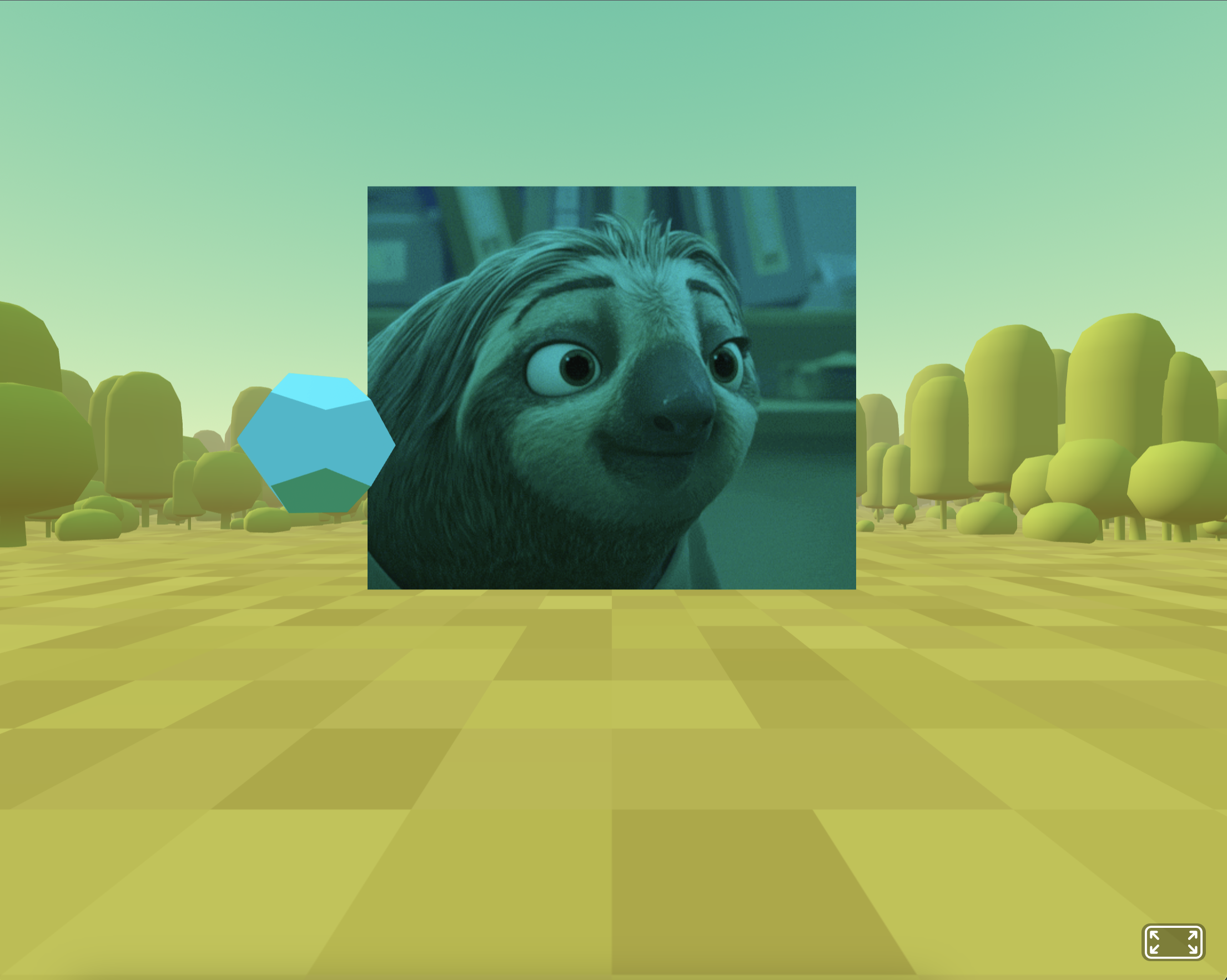
The first tutorial showed me how to create a sphere that went up and down on the y-axis and create a
rotating plane with an image placed on it. It used a separate javascript file to get the elements in the
scene to move. I wanted to keep experimenting with WebXR and A-Frame so I found the second tutorial
about creating a basic scene. Both tutorials showed me how to link to a script hosted on a CDN to use
the features of A-Frame. The second tutorial taught me how to use the a-entity and environment
components to customize the scene. After the environment was set up I decided to add some more 3D shapes
to the environment and change how they moved in the scene. I also changed how the plane was positioned
from the first tutorial to be flipped verticle and move up and down. Then I added an a-entity to add
some text to the scene. I was able to test the A-Frame scene in three different browsers: Google Chrome,
Firefox, and Safari and everything worked as expected.
Reflection
This learning module has given me a great introduction to what a web browser can provide in terms of
Virtual Reality, augmented reality, and 3d scenes. I previously had not been aware of WebXR and all the
different libraries and frameworks that work with it. The WebXR API is maintained by W3C, which makes it
possible for VR headsets, AR headsets, and phones in VR mode to access VR/AR content through websites.
Some libraries and frameworks like Babylon.js, A-frame, and Three.js help to create these 3D, VR, and AR
experiences. Much like progressive web apps, creating these scenes in a browser ensures more
compatibility with all the various hardware rather than developing something for each one and their
ecosystems. I never really knew that web browsers were capable of making such dynamic scenes and it has
helped me to see a whole other side to web development.
Resources
Easily code a virtual reality web experience with A-Frame -
https://www.youtube.com/watch?v=jhEfT9YjLcU
Building a Basic Scene -
https://aframe.io/docs/1.6.0/guides/building-a-basic-scene.html
How to use a-camera -
https://aframe.io/docs/1.6.0/primitives/a-camera.html
Web XR: Exploring Extended Reality on the Web -
https://www.onirix.com/webxr-examples-development-extended-reality/
The Beginners Guide to WebXR -
https://www.aircards.co/blog/the-beginners-guide-to-webxr
WebXR Home Page -
https://immersiveweb.dev/