Learning Module 2 - React Project
Introduction
For my fifth project, I was able to choose a topic that I wanted related to standards and specifications.
The topic I chose was making a react app. React has become very popular over the years and I had not had
any practice up until this project. I was able to learn how to use the command line to install React,
create a dice-rolling app, and use Neflify to deploy the app.
Scoring Guide
Here is the scoring guide for my Progressive Web App Webpage: React App
Scoring Guide
React
Facebook created React.js, a free and open-source JavaScript library, to simplify the process of
building interactive user interfaces. Facebook wanted to provide users with a more dynamic and more
responsive interface. It was a challenge to pull this off due to its massive user base. In 2011, Jordan
Walke created React to help accomplish this. React provided an organized and structured way of building
with reusable components to make user interfaces interactive and dynamic. It was first successfully
deployed for Facebook's newsfeed, and because of that, it changed how Facebook approached its web
development. Since then, it has become one of the most popular JavaScript libraries in web development.
React.js is a JavaScript library for building web pages by breaking them into small, reusable parts
called components. Each component controls a specific part of the page. It can store and manage its own
data, known as state, which can update over time. Additionally, it can receive data from other
components, called props, which help it display information or respond to interactions. React uses a
virtual DOM, which helps to make pages faster. This virtual DOM helps to track changes and only updates
what is necessary instead of reloading the whole page. React uses JSX, which serves as a syntax
extension for JavaScript. JSX is short for JavaScript XML and allows for writing and adding HTML in
React. All of these features in React help to make dynamic web pages faster and building them easier.
Dice Roller Application
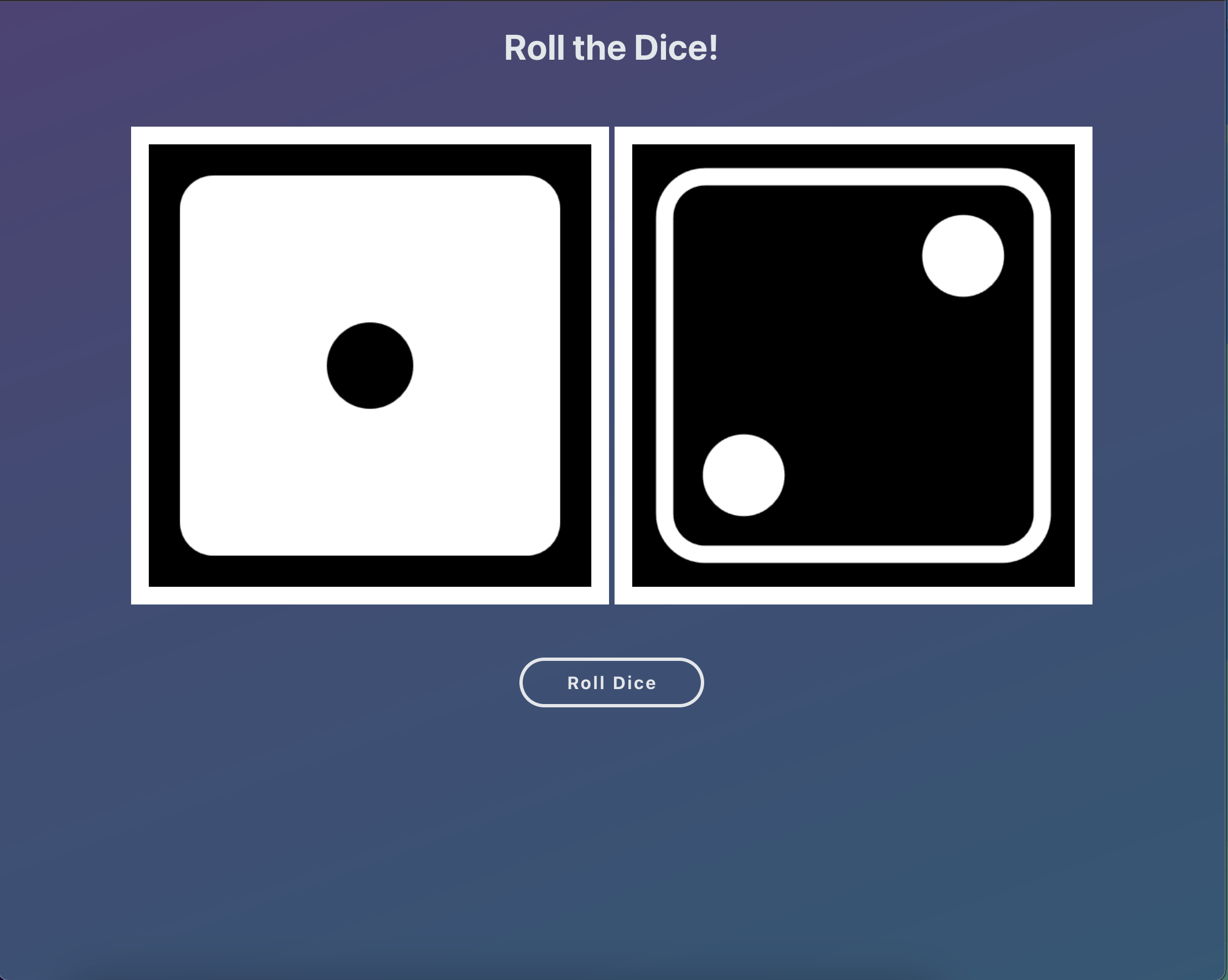
To get familiar with React I followed a tutorial about creating a dice roller app. The tutorial helped show me how to
use the command line interface to create a directory and install React for a project. After creating the
directory and setting up React, I located the app.js file within the src folder to start making the app.
I created an image folder and added 12 different images of dice to be used by the app. Once I had the
images, I imported them into the script and used them in an array for the app. I was able to create a
container to hold the dice images. After setting up the image array, I was able to create two variables
to hold two different images. Then I was able to add a function to roll the dice. The function
generates random numbers to match the different numbered dice images and places them in the image
container. To finish the React app the image variables were added to the image tags to display the dice
images and the roll dice function was added to the button to be triggered when clicked.
I updated the styling of the dice roller app by updating and adding styles in the App.css file. I was
able to add some meta tags and change the title in the head section of the index.html file in the public
folder. To deploy my app, I used the hosting platform Netlify. Using Netlify made it an easy process to
upload the production build of my React app. I tested my dice roller React app from my 13-inch MacBook
Pro with Safari, Chrome, and Firefox, and everything worked as needed.
Reflection
This learning plan allowed me to select a project of my choice around a topic. I chose to center my
project around React because prior to this learning module, I had never worked with it before. After
hearing about the popularity of React, I thought it would be good to gain some familiarity with it.
Initially, the project was overwhelming because of the installation process and my unfamiliarity with
the file structure of the React library. After it was installed and I familiarized myself with
everything, it became easier to use. The installation process taught me about node.js and how to use a
package manager for a project. I had a difficult time uploading the app to the web, but I used the
hosting platform Netlify to deploy the app. This learning module also helped me to understand how React
works and why it has become so popular.
Resources
How To Code A Dice Roller App In React JS -
https://www.youtube.com/watch?v=u-o30eBK3xs
How to Create a React Project & Directory Explained -
https://www.youtube.com/watch?v=blq1KQJOWm0
The best way to host & deploy a React Application -
https://www.youtube.com/watch?v=Ey_90l9GaAw
What is React.js? -
https://blog.hubspot.com/website/react-js
How React works under the hood -
https://www.zipy.ai/blog/how-react-works-under-the-hood
React JSX -
https://www.w3schools.com/react/react_jsx.asp