Learning Module 3 - Artificial Intelligence Project
Introduction
For my seventh project, I needed to work with using Artificial Intelligence and use it in some way on my
webpage. It was my choice on how I wanted to implement it. I decided to implement an AI chatbot, create
and use an AI image, and have AI try to code a page for my website. I learned how to use Chatbase for
the chatbot, Adobe Express for the AI image, and ChatGPT to code the web pages.
Scoring Guide
Here is the scoring guide for my Artificial Intelligence Project: AI Project
Scoring Guide
Artficial Intelligence
AI has increasingly influenced the workflows of web designers and developers in recent years. It has
enabled developers to create websites more efficiently. It is used to accelerate tasks, personalize
content, and enhance security. AI can help speed up development by auto-generating code snippets. It can
improve user experience by analyzing behavior patterns and suggesting layout changes. AI tools can
integrate into an IDE to offer AI-driven code generation and provide an AI chat feature to help analyze,
create, and improve code. Another tool that is being used is AI image generation to help create assets
for pages.
AI Chatbot
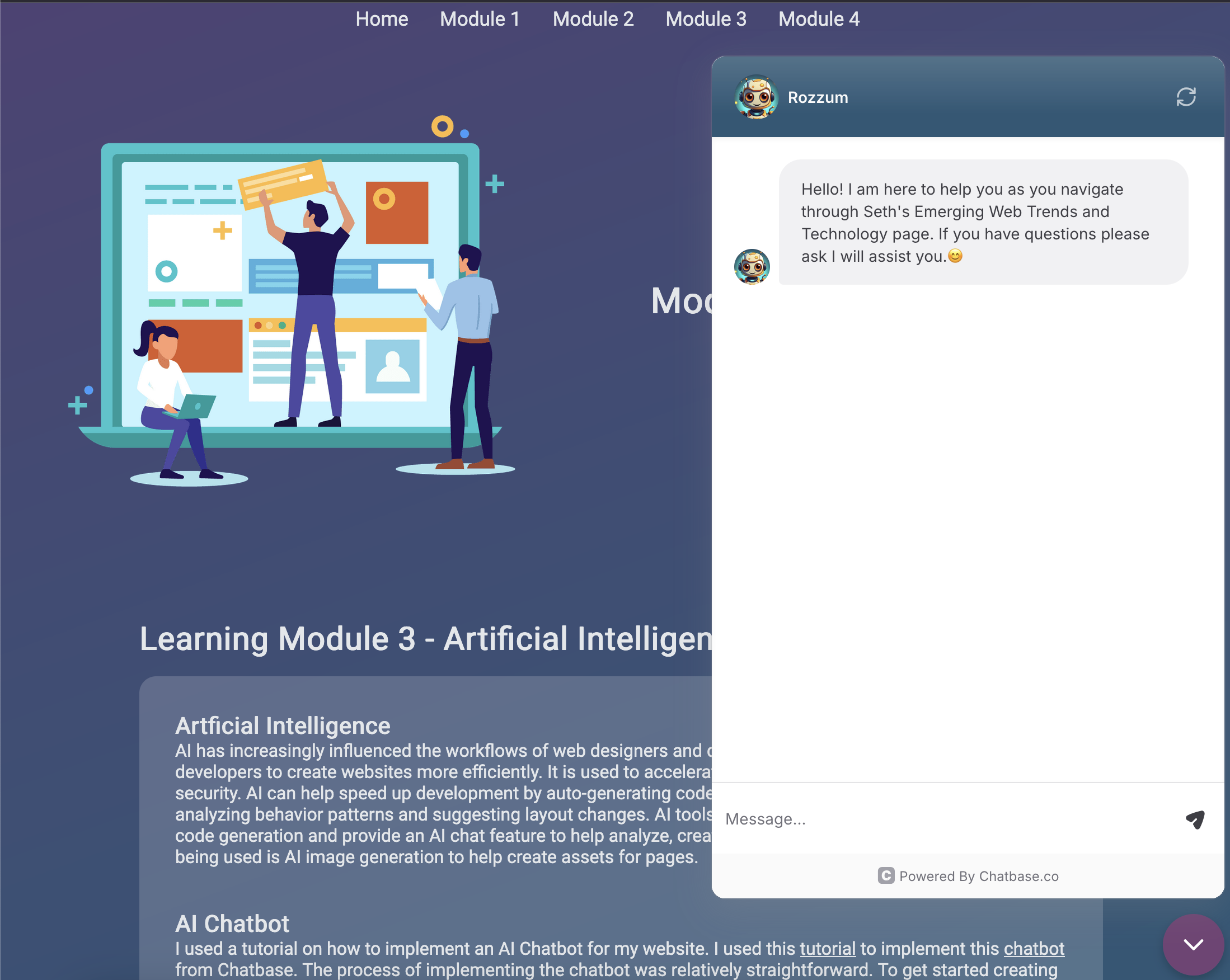
I used a tutorial on how to implement an AI Chatbot for my website. I used this
tutorial to implement
this
chatbot from Chatbase. The process of implementing the chatbot was relatively straightforward.
To
get started creating the chatbot you need to provide a knowledge base to train it. This can be provided
in a text document, but I used an XML sitemap to provide a base source for the chatbot. After a source
is provided the chatbot can be created and you can start customizing the instructions, AI chat model,
and interface appearance. I was able to change the colors of the chat interface, customize the welcome
message, and add an image for the chatbot. I used an AI-generated image to be used for the avatar
picture. To add the chatbot to my website I had to embed a script into each page of my website.
Generated Image
AI Image generation has been growing as quickly as the AI chat models. These AI-generated images can
help web designers quickly develop assets for web pages. It could be used in areas where a stock photo
would be used for something like a blog post or an avatar image for a chatbot. While this can speed up
the process it might not always be appropriate to use. If you are selling a product or advertising a
brand it is best to use screenshots of the product or original content related to a brand. I used Adobe
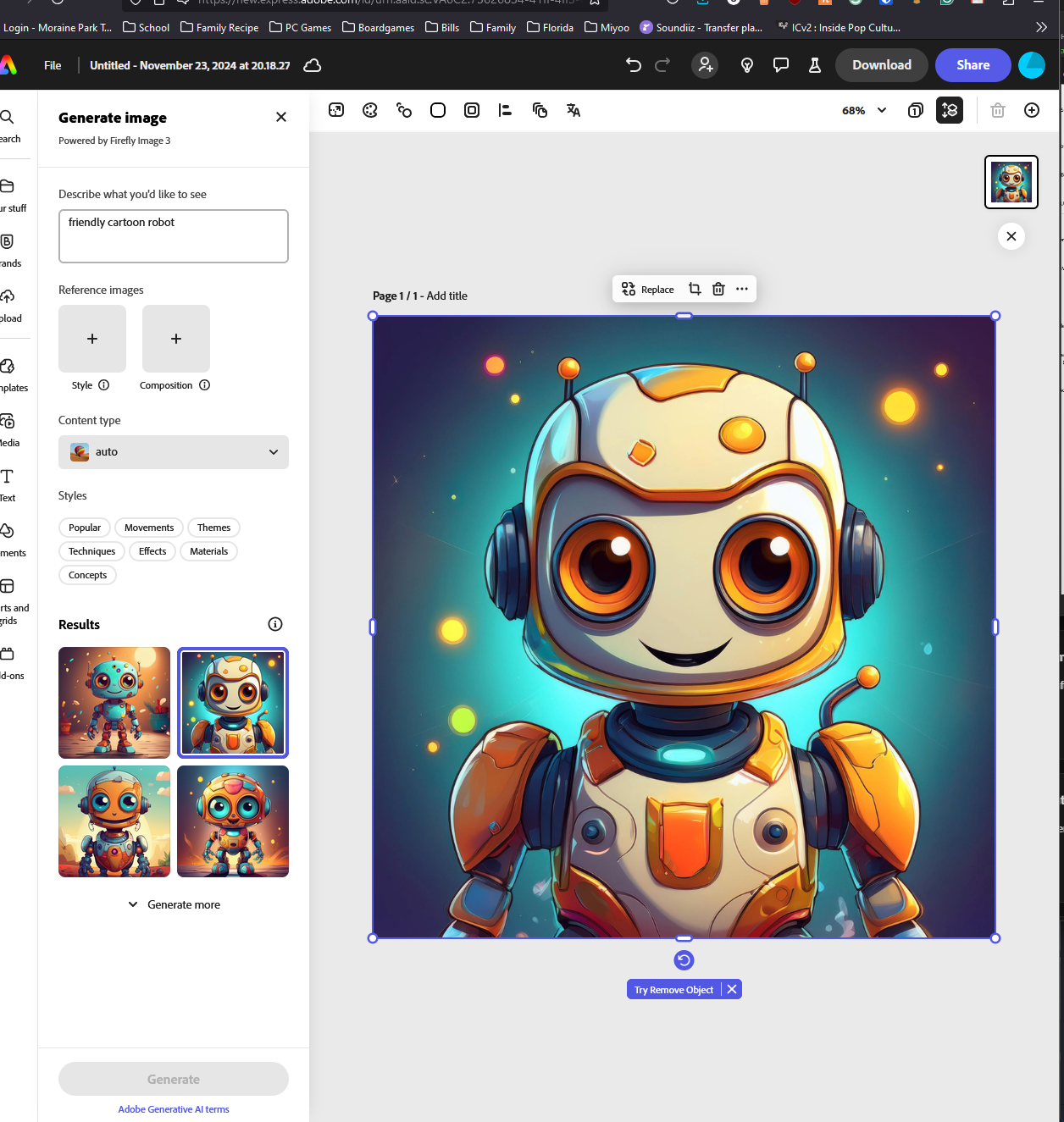
Express to create an AI image to use for the chatbot's avatar in the chat window. The process was easy
to generate the image. I entered "friendly cartoon robot" for the search parameters. It took about 10 to
15 seconds for four separate images to appear. I was able to download the image as a JPEG to be able to
upload it to the chatbot avatar.
Using ChatGPT to make a Web Page
There are many ways to have AI help with building web pages. You can describe and provide an outline to
have it build a website or you can use it to help provide code blocks for smaller sections of a webpage.
Having AI help generate code provides developers a way to speed up the process and focus on other
aspects. I was curious how well ChatGPT could create a page for my website that is already established
with structure and styling. I started by asking ChatGPT if it could make a new page for my website with
the same styling. I provided the homepage HTML code and the main CSS styling for all the main pages. It
provided this result:
While some of the styling was similar to the rest of the website the navigation was missing elements and
the rest of the page was missing the image and some of the styling for the text areas. I provided
another one of my web pages for it to analyze and asked it to make adjustments to better match the other
pages. It provided this page:
It created all the content on the page based on my request for an AI page and the content and
styling from my other pages. It almost matches perfectly. It added an additional navigation element
called Module 5 instead of adding it to the Module 3 section. The formatting matches my other
documentation pages and although it did not use my image from the other pages it did provide a
placeholder and the hover effect still works. It came up with topics, turned them into sections with
headings, and created content for each section. ChatGPT even added placeholders for images to use on the
page and cited resources. Overall it did a good job of quickly analyzing and creating a new page
following the style and content flow from my other pages.
Reflection
In Part 2 of Module 3, I have learned more about artificial intelligence. I have been aware of the rapid
growth of AI over the last few years, but have not been aware of how it has impacted web development.
This explosion of AI has allowed web developers to use it to help write code for websites, generate
images, and add an AI-driven chatbot to their site all with relative ease. In my project, I learned how
to add a chatbot to my page and use an XML file to help provide it with a knowledge base. I was also
able to use an AI image generator and use the generated image for the chatbot's avatar. I even
experimented using ChatGPT to help make an additional page based on the styling of my website. I know
this is just the tip of the iceberg for AI but I have a better understanding of what it can offer and
its importance to web development in the future. It is something that cannot be ignored by developers
anymore and it will take constant studying and research to stay up to date on all the AI trends.
Although there is worry that AI might eliminate web development jobs for now it can provide a way for
developers to speed up their workflow and make more dynamic websites.
Resources
The Future of Web Development and AI -
https://unicornplatform.com/blog/the-future-of-ai-and-web-development/
Top 8 Ways to Use AI in Web Development -
https://www.geeksforgeeks.org/ways-to-use-ai-in-web-development/
Using AI-Generated Art on Your Website -
https://www.squarespace.com/blog/use-ai-generated-art-for-website
How to Integrate a Custom GPT Into Your Website (Step-by-step Guide) -
https://www.youtube.com/watch?v=SNwqkdhv1HQ
Chatbase - Getting Started -
https://www.chatbase.co/guide/category/getting-started
Adobe Express -
https://www.adobe.com/express/
ChatGPT -
https://chatgpt.com/